Building a GitHub PR Reviewer Bot with OpenAI and Vercel
Code reviews are one of those things that we all know are important, but let’s be honest - they can be tedious. Wouldn’t it be nice to have a bot that does an initial review for you? 😉
In this tutorial, I’ll show you how to build a simple PR reviewer with the OpenAI Responses API and deploy it to Vercel. It is a first-pass assistant, not an approval gate: a human reviewer remains responsible for validating every finding.
What This Bot Does?
Our bot will:
- Listen for new pull requests on GitHub via webhooks
- Fetch the PR’s diff
- Ask OpenAI for an analysis of the changes
- Post review comments automatically
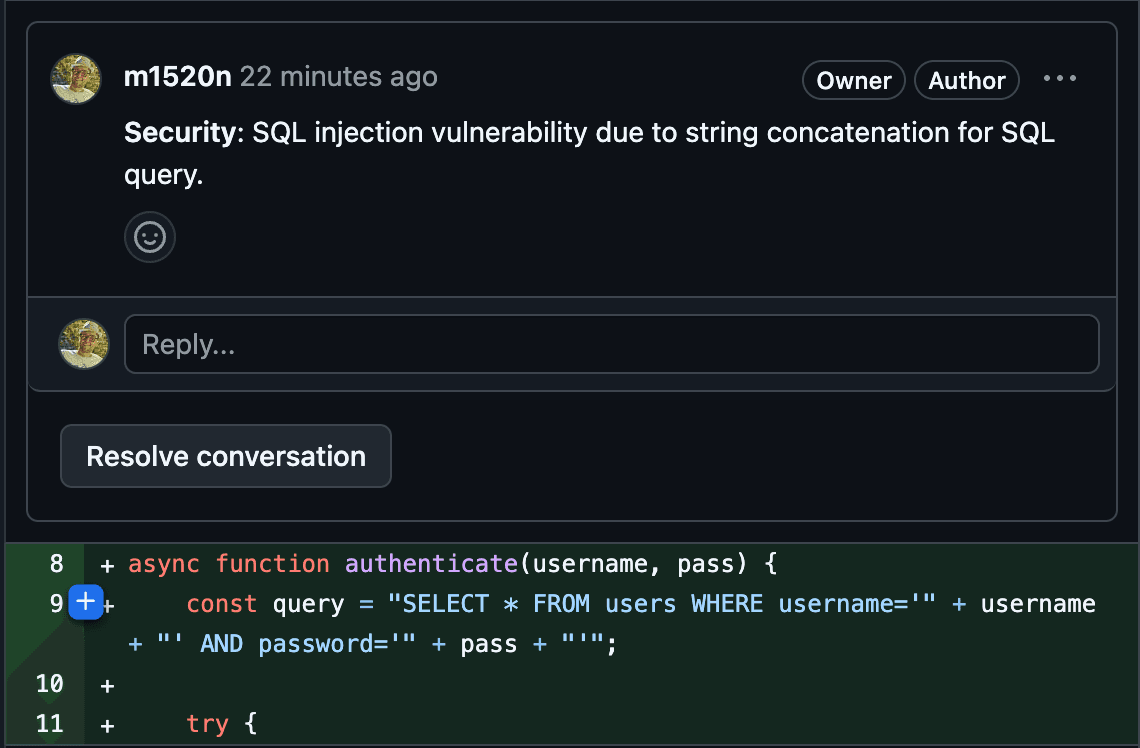
Let’s get started! 🚀
Before we dive in, make sure you have:
- A GitHub account (obviously)
- A Vercel account (for easy deployment)
- An OpenAI API key (to do the actual review work)
- Node.js installed on your machine
If you don’t have these set up yet, take a moment to do so. I'll wait ⏰
Step 1: Setting Up the Project
First, create a new directory for our project and initialize it:
1$ mkdir github-pr-reviewer2$ cd github-pr-reviewer3$ npm init -y4$ npm install @octokit/rest openai dotenv express
We’re installing:
- @octokit/rest to talk to GitHub
- openai to send requests to the configured OpenAI model
- dotenv to manage secrets
- express to handle incoming webhook requests
Step 2: Handling Webhooks
GitHub needs somewhere to send PR events, so we’ll create a simple webhook handler. Inside the project folder, create an `api` directory. This will contain our API function that will be later deployed to Vercel.
1$ mkdir api
Then, create api/webhook.js and add this code:
1const express = require('express');2const { Octokit } = require('@octokit/rest');3const OpenAI = require('openai');4const { verifyWebhookSignature } = require('../utils/security'); // This will be created in the next step56const router = express.Router();78const octokit = new Octokit({ auth: process.env.GITHUB_TOKEN });9const openai = new OpenAI({ apiKey: process.env.OPENAI_API_KEY });1011router.post('/webhook', async (req, res) => {12 try {13 verifyWebhookSignature(req);14 const { pull_request, repository } = req.body;1516 if (!pull_request) return res.status(400).send('Not a PR event');1718 const owner = repository.owner.login;19 const repo = repository.name;20 const prNumber = pull_request.number;2122 // Fetch all PR files23 const { data: files } = await octokit.pulls.listFiles({ owner, repo, pull_number: prNumber });24 // Concatenate the diffs25 const fileDiffs = files.map(f => `${f.filename}:\n${f.patch}`).join('\n');2627 // Send files to OpenAI for review28 const aiResponse = await openai.responses.create({29 model: process.env.OPENAI_MODEL || "gpt-5.6-sol",30 instructions: "Review the diff for concrete correctness, security, and maintainability risks. Cite the relevant file when possible. Do not invent missing context.",31 input: fileDiffs,32 max_output_tokens: 700,33 });3435 // Extract review from response36 const reviewComment = aiResponse.output_text;3738 // Create a comment in Github39 await octokit.issues.createComment({ owner, repo, issue_number: prNumber, body: reviewComment });4041 res.status(200).send('Review added');42 } catch (error) {43 console.error(error);44 res.status(500).send('Something went wrong');45 }46});4748module.exports = router;
This script:
- Verifies the webhook request.
- Fetches the changed files in the PR.
- Sends the diff to OpenAI for analysis.
- Posts a comment with AI-generated feedback.
We’ll also need a simple helper to verify GitHub’s webhook signature. Create utils/security.js:
1const crypto = require('crypto');23const verifyWebhookSignature = (req) => {4 const signature = req.headers['x-hub-signature-256'];56 if (!signature) throw new Error('No signature found');78 const hmac = crypto.createHmac('sha256', process.env.WEBHOOK_SECRET);9 const digest = 'sha256=' + hmac.update(JSON.stringify(req.body)).digest('hex');1011 if (signature !== digest) throw new Error('Invalid signature');12};1314module.exports = { verifyWebhookSignature };
Step 3: Setting Up Secrets
Create a .env file in the project root:
1GITHUB_TOKEN = your_github_token2OPENAI_API_KEY = your_openai_api_key3WEBHOOK_SECRET = your_random_secret4
Generate a random secret and paste it into the .env with:
1openssl rand -hex 20
This ensures that only valid GitHub webhooks are accepted.
Step 4: Deploying to Vercel
Now let’s deploy this thing! First, create a `vercel.json` file:
1{2 "version": 2,3 "functions": {4 "api/*.js": {5 "maxDuration": 606 }7 },8 "routes": [9 {10 "src": "/webhook",11 "dest": "/api/webhook.js"12 }13 ]14}
Then run:
1$ vercel login2$ vercel
Add the environment variables on Vercel’s dashboard under Project Settings → Environment Variables.
Step 5: Configuring the GitHub Webhook
- Go to your repo → Settings → Webhooks
- Click Add webhook
- Set the Payload URL to https://your-vercel-url/webhook (you will find it in the terminal after running vervel command)
- Choose application/json as the content type
- Enter your WEBHOOK_SECRET
- Select **Pull request **events
- Save it 💾
Testing It Out
- Create a new branch
- Make some changes
- Open a pull request
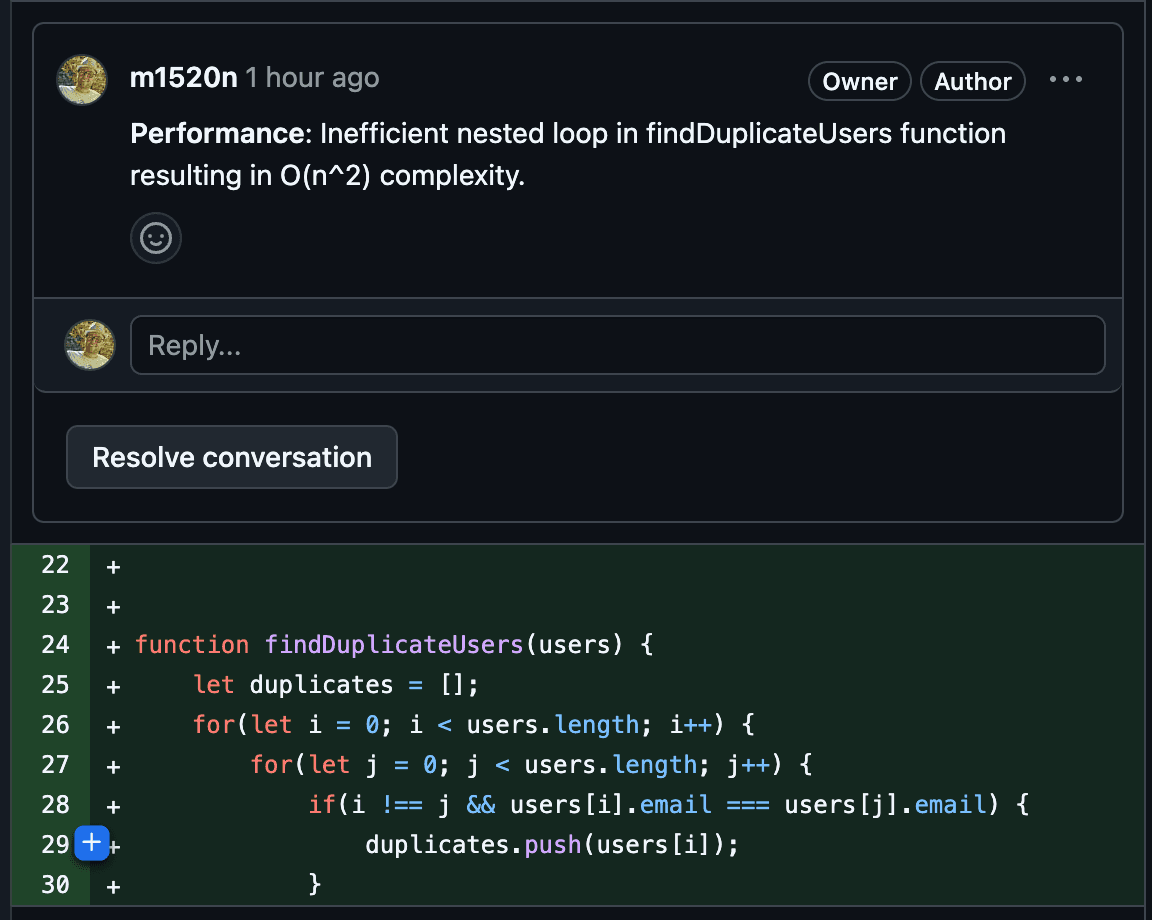
- Watch the bot post a comment!
What’s Next?
This is just a starting point. You could:
- Add inline comments for specific lines
- Implement configurable review rules
- Support different AI models
You can check my code here. It does more than in this tutorial including:
- posting inline comments instead of a single one per PR
- optimized OpenAI prompt that uses less tokens
Enjoy your new AI-powered code reviewer! 🤖

Michał Winiarski
Founder of Devbrains and senior software developer